
Four styles from one box
This free flip text generator gives you four styles from a single input: flip text upside down, mirror it, reverse text letter by letter or reverse the word order.
Type once. Copy any style. Free, no ads.
0 characters
Runs in your browser. Nothing is uploaded.FlippyText is free with no ads. If it helped you, buy me a coffee.
MEET FlippyText
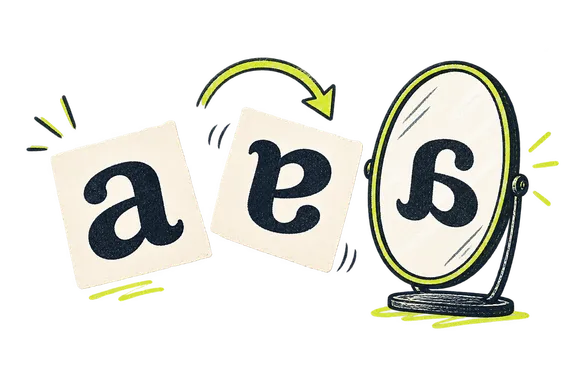
FlippyText is a free flip text generator that turns anything you type into upside down, mirrored or backwards letters you can copy in one click.
Making fancy text usually means hunting down special characters one at a time. This free flip text generator does that work for you. Type or paste a word, a name or a whole sentence, and four styles appear at once: upside down text, reverse text, mirror text and reversed word order. Every result updates as you type, so you can compare the styles side by side and choose the one that fits. The output is real Unicode text, not an image, which means you can paste it into a bio, a username, a caption or a chat message. It's the quickest way to flip text for fun, for puzzles or just to stand out, with nothing to install and no account to create.
This free flip text generator gives you four styles from a single input: flip text upside down, mirror it, reverse text letter by letter or reverse the word order.
Results refresh with every keystroke, so there's no convert button to press and nothing to wait for.
Each style has its own Copy button, and what you paste is real text that works in most apps and websites.
Your text is processed right in your browser and never sent to a server. No sign-up, no ads.
FOUR STYLES. ONE BOX.
Each style changes your words in its own way. Two of them flip text into new shapes, and two simply reverse text so it reads backwards. Try them all on the same sentence to see which one suits you.
Upside down text makes your words look as if they were rotated 180 degrees. Most letters are swapped for a character that appears turned over, and the order is reversed so the sentence reads correctly when the screen is flipped. It's the boldest way to flip text.
Before: hello world
After: plɹoʍ ollǝɥ
Reverse text keeps every letter exactly as it is and writes them from the last character to the first. Because backwards text uses ordinary letters, it pastes cleanly almost anywhere and is easy to undo: reverse it a second time and your original words come back.
Before: hello world
After: dlrow olleh
Mirror text flips each line sideways, as if you held it up to a mirror. Letters such as b and d or p and q trade places, and many others are replaced with reflected look-alikes. Line order stays the same, so a multi-line message keeps its shape.
Before: hello world
After: blɿow ollɘʜ
Reverse words leaves every word readable but reverses their order within each line. Punctuation stays attached to the word it belongs to, and extra spaces between words are tidied into single spaces. It's a gentler way to reverse text when the message should still be easy to decode.
Before: hello world
After: world hello
TYPE. PICK. PASTE.
01
Enter any word, name or sentence in the box at the top of the page to start using the flip text generator.
02
All four results update as you type, so you can flip text upside down, mirror it or reverse text and compare them side by side.
03
Tap Copy under the style you like, then paste your flipped text into a bio, username, caption or chat.
WHO IT'S FOR
Creators use flip text to make an Instagram bio, a TikTok caption or a YouTube comment catch the eye in a busy feed. A single flipped word or a mirrored name is often enough. Paste it where your profile allows special characters, then check how it looks on both a phone and a computer.
Gamers flip text to build a username that nobody else has. An upside down name or a mirror text nickname works well on Discord servers, in Steam profiles and in many online games. Some games filter unusual symbols, so test your new name first, and try a different style if a character gets blocked.
Friends use a backwards text generator to hide spoilers, plan surprises or play a harmless April Fools' joke in a group chat. Reverse text takes a moment to decode, which is exactly the fun. For an extra challenge, reverse words instead of letters, or send a message that only makes sense when turned upside down.
Teachers and puzzle makers use mirror text to create reading challenges, escape room clues and brain teasers. It's also a simple way to show students how Leonardo da Vinci's mirror writing worked. Print the flipped text on a worksheet, hand out a small mirror, and let the class race to decode it.
BEFORE YOU PASTE
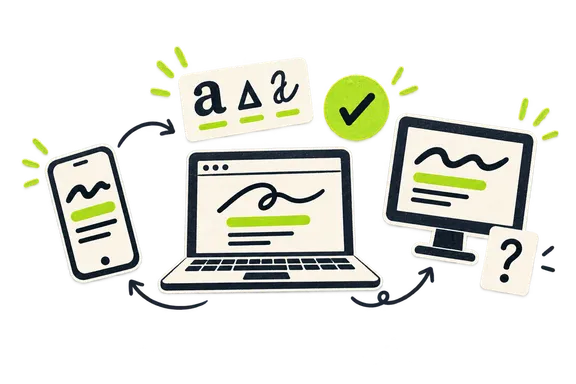
Mostly, yes. The tool creates real Unicode characters that you can paste into other apps. Reverse text and reverse words use ordinary letters, so they display correctly almost anywhere you can type. Upside down and mirror text work differently: they use special Unicode characters to invert text, and the device showing your message needs a font that includes them.
Recent iPhones, Android phones, web browsers and popular social apps usually show flipped text without any trouble. Problems tend to appear on older Android devices, in some games and in certain email apps, where a missing character turns into an empty box or a question mark. A few sites also block unusual symbols in usernames.
To avoid surprises:
A FEW MORE ANSWERS
Your keyboard can't flip text on its own, because every key types a standard character. The easiest way is a flip text generator like FlippyText. Type or paste your words into the box and four styles appear at once: upside down, mirror, reverse and reversed words. Tap Copy on the style you like, then paste the flipped text wherever you need it.
Paste your words into FlippyText and check the Reverse Text card, which writes every letter in backwards order, so hello world becomes dlrow olleh. To keep each word readable and only change their order, use the Reverse Words card instead. Because reverse text uses ordinary letters rather than special symbols, it pastes cleanly almost anywhere, including apps that strip out unusual characters.
No. A font only changes how the same letters look, and most apps won't let you choose one. Flip text uses different characters entirely, borrowed from phonetic alphabets and math symbols, such as ɐ for a and ʇ for t. Because these are real Unicode characters rather than a font, flipped text keeps its look when you paste it into places that don't support custom fonts.
When you rotate a sentence 180 degrees, the last letter ends up on the left. To make upside down text read correctly when someone turns their screen over, a flip text generator replaces each letter and also reverses the order. That's why hello world becomes plɹoʍ ollǝɥ. If your text has several lines, FlippyText reverses the line order too, just like turning a page upside down.
It depends on the style. Reverse Text undoes itself: paste the result back into FlippyText and the Reverse Text card shows your original words, and Reverse Words works the same way. Upside down and mirror text only convert one way for now, because each flipped character would need its own reverse mapping. If you'll need the original later, keep a copy before you flip text.
Yes. FlippyText runs in any modern mobile or desktop browser, so you can flip text without installing an app or a special keyboard. Open the page in Safari or Chrome, type your text, and tap Copy under the style you want. Most phones display flipped text correctly, although a few older Android devices may show some characters as empty boxes.
Partly. Upside down text flips English letters, numbers and common punctuation, while mirror text covers English letters and a few symbols. In those two styles, accented letters and other alphabets pass through unchanged. Reverse Text and Reverse Words work with any language. Emoji always stay intact when you flip text, so combined emoji such as skin-tone or family icons won't break apart.
FlippyText is a completely free flip text generator, with no sign-up and no ads. Every conversion happens in your browser, so the text you type is never sent to or stored on a server. The site only counts anonymous page visits and button clicks. If the tool saves you time, you can support it with a small donation through Buy Me a Coffee.